 Tableful
Bring it in
Social video, website, photo, screenshot, or your own words.
Your intelligent kitchen
Tableful takes you from “that looks good” to dinner.
Import recipes from Instagram, TikTok, YouTube, any webpage, or start with an idea. AI makes the recipe yours. Build a meal plan, create one grocery list from its recipes, and cook step by step.
Free to use · The whole kitchen workflow included · Upgrade only for more AI
One continuous workflow
Social video, website, photo, screenshot, or your own words.
Draft with AI; Make it faster, increase protein. The sky's the limit.
Nutrition with editable quantities and honest estimates.
Put meals on a calendar and move through past and future weeks.
One grocery list, combined and grouped by aisle.
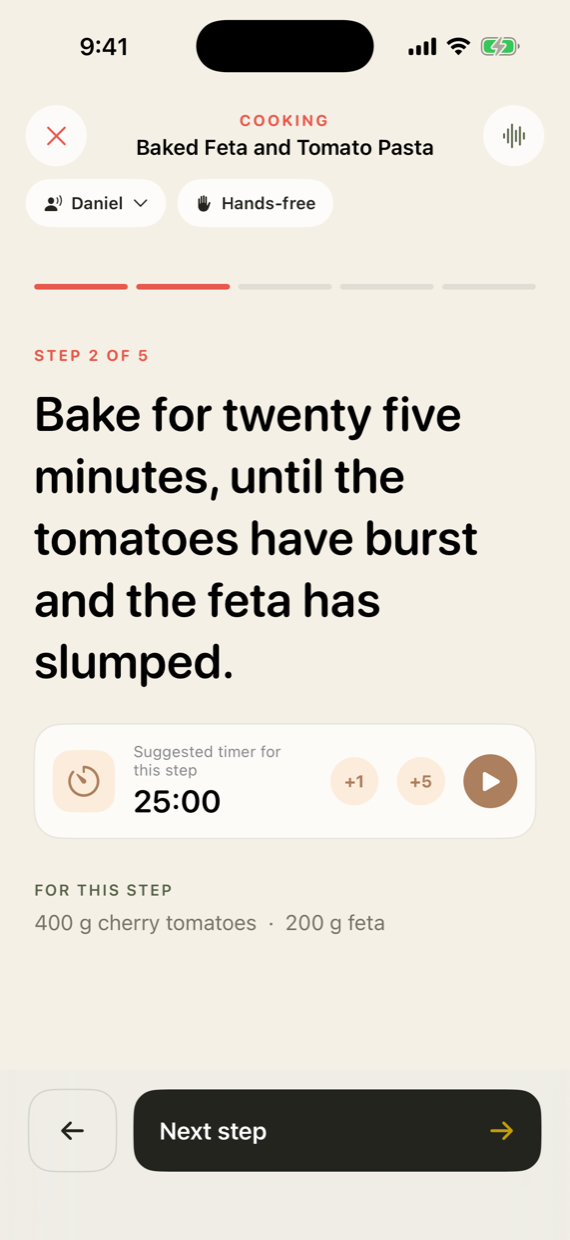
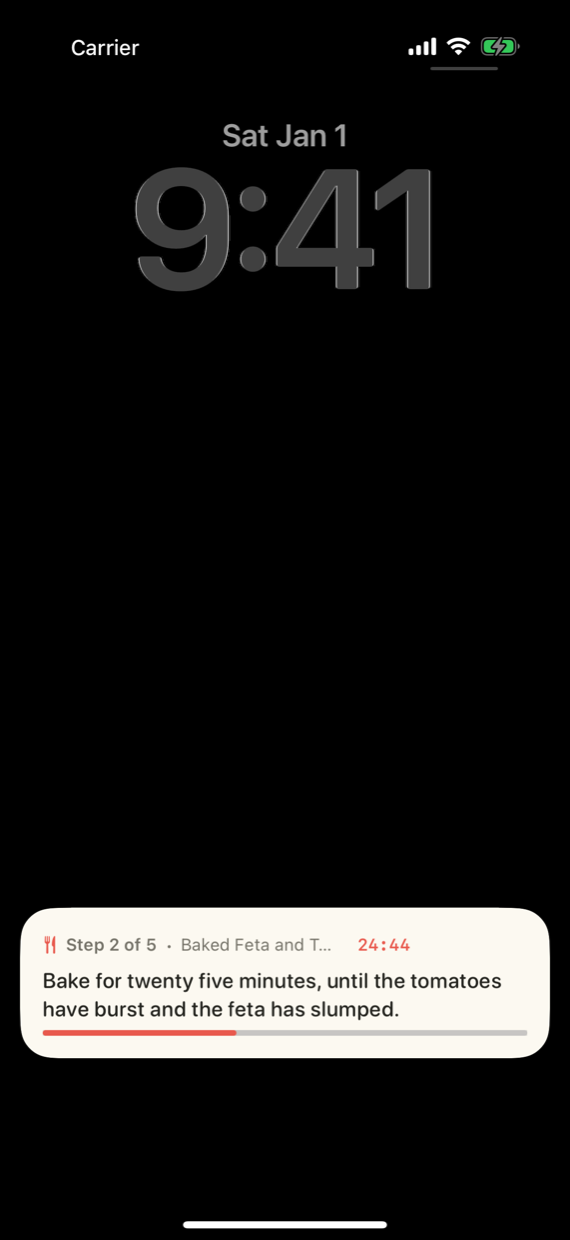
One step at a time, hands-free, with timers and Live Activities.
Built for real life
“I saw this recipe on Instagram.”
Share the link. Tableful pulls out the useful recipe and leaves the clutter behind.
Social & web import“What can I make with chicken, spinach, and beans?”
Describe what you have. Forge builds a complete, editable recipe in seconds.
AI recipe drafting“Make it low-carb, and double the protein.”
Ask for a precise change. See the ingredients, steps, and nutrition update together.
AI recipe adaptationAfter the idea
Save the idea, plan the meal, shop for it, then cook without losing your place. Tableful keeps the whole journey connected.
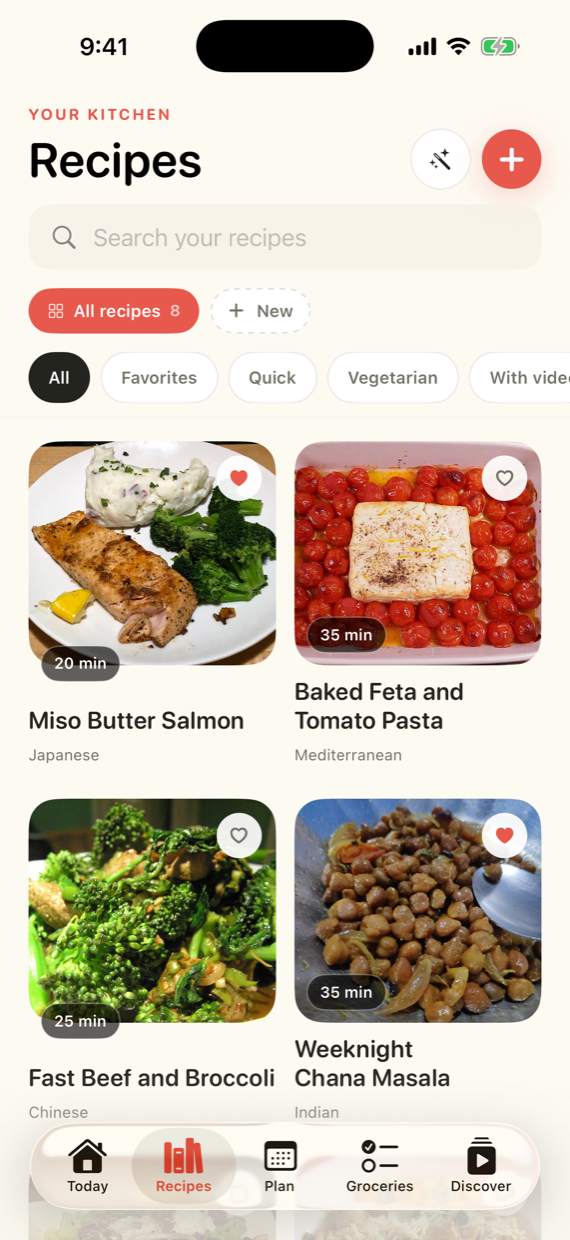
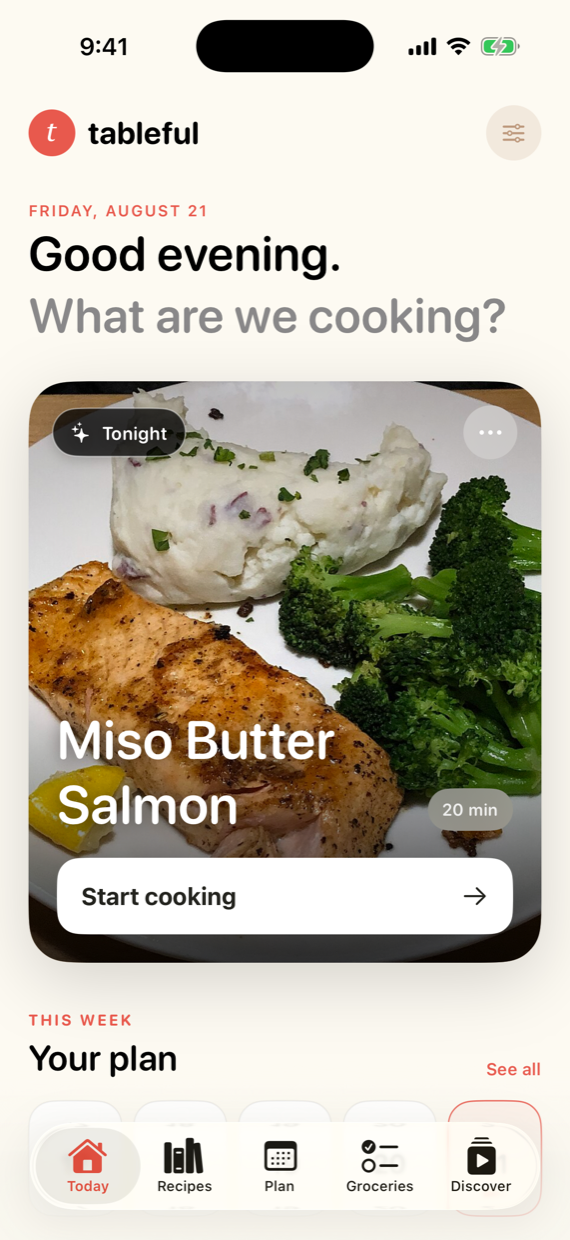
At the stove
Hands-free mode; Timers and voice control when your hands are busy. The current step follows you to the Lock Screen and Dynamic Island.
Make it yours
Already have the recipe? Ask Tableful to change it. In this example, one request adds protein while keeping the dish recognizable, editable, and ready to cook.
Simple pricing
Import, create, understand, plan, shop, and cook on the free plan. You get 30 AI uses every month; Plus raises that allowance and uses our best AI.
Free
$0
No card. No expiry.
The full workflow, free for as long as you want
Most useful
Tableful Plus
$5.99 / month
7 days free. Cancel any time.
Subscribe in the app, under Kitchen preferences
AI top-up
$1.99
One-time purchase.
Buy in the app when the uses run out
One AI use is one import, recipe draft, recipe adaptation, or smart-collection request. Manual edits, nutrition viewing, planning, groceries, and cooking mode do not consume AI uses.
Plus and top-ups are optional and sold by Apple inside the app. Use Tableful free for as long as you like; upgrade in Kitchen preferences only when you want more AI. Get Tableful.
Meal planning guides
Compare the whole system
Straight answers
No. Recipes are the raw material. Tableful imports or creates them, adapts them with AI, estimates nutrition, plans meals, builds grocery lists, and guides cooking.
Yes. Add recipes to your meal plan and Tableful combines their ingredients into one grocery list grouped by aisle. Repeated ingredients are added together, and you can add non-recipe items manually.
Yes. Plan the meals you intend to cook, then shop from the connected list of ingredients across those recipes. Planning and grocery lists are included on the free plan.
Public recipe websites, Instagram and TikTok posts, YouTube descriptions, photos, screenshots, cookbook pages, and handwritten recipes. Private, deleted, paywalled, or inaccessible content may not be readable.
Yes. Ask for a general change such as “make it healthier” or a measurable goal such as “double the protein.” Every ingredient, quantity, and step remains editable.
No. It is a practical estimate for meal decisions, based on ingredient quantities and food data. Missing quantities may use a clearly labeled best estimate.
Inside the app, through Apple’s App Store. You cannot choose a plan on this website; the prices above are a price list. Download the app, open Kitchen preferences, and pick a plan there. The website never asks for payment details.
Every core feature: importing and creating recipes, nutrition, meal planning, grocery lists, and cooking mode. The free plan includes 30 AI uses every month, with no card and no expiry. Upgrade only when you want more AI.
Dinner has too many tabs
Free to use · iPhone · iOS 17 or later